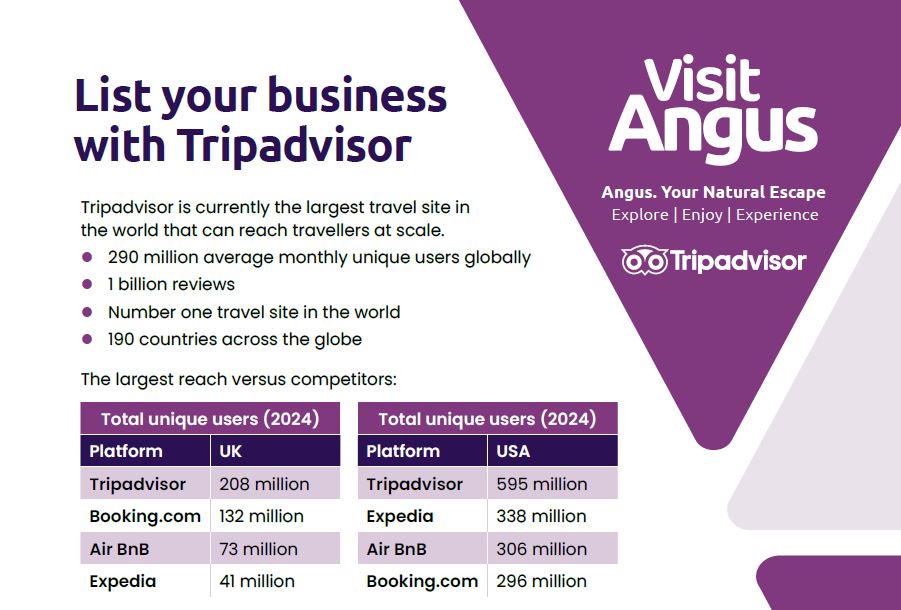
List your business with Tripadvisor
Tripadvisor is currently the largest travel site in the world that can reach travellers at scale.
- 290 million average monthly unique users globally
- 1 billion reviews
- Number one travel site in the world
- 190 countries across the globe
How to list a business on Tripadvisor:
- Go to the listing a business/place on Tripadvisor page.
- Add a place: Type your business name in the field.
- Select the category that best describes your business: Accommodation, Restaurant or Things to do.
- Select the best description or type for your business from the options provided.
- Add your address: Type your business address in the field.
- Verify you are a representative of the place: Tick the box to say Yes.
- Click Save and Continue: You’ll be asked to either log-in or sign-up.
- Continue process of completing the form and submit your application online.
How to claim a listing on Tripadvisor:
- Go to the claim a listing page.
- Search for your business: Type your business name in the search bar to see if a listing already exists.
- Initiate Claim: If found, click on your business, then select “Claim your free listing” or the link in the “Is this your Tripadvisor listing?” section. If not found, you’ll need to add a missing place first by following the prompts to provide your business details.
- Sign In/Create Account: Log in to your existing Tripadvisor account or create a new one.
- Verify Ownership: Follow the instructions to verify you’re the owner or manager. This usually involves providing your contact info, uploading a government-issued photo ID and taking a face-verification photo for quick approval or using phone/credit card verification.
- Access Management Centre: Once approved, you’ll gain access to the Management Centre to update photos, respond to reviews, and manage your listing details.